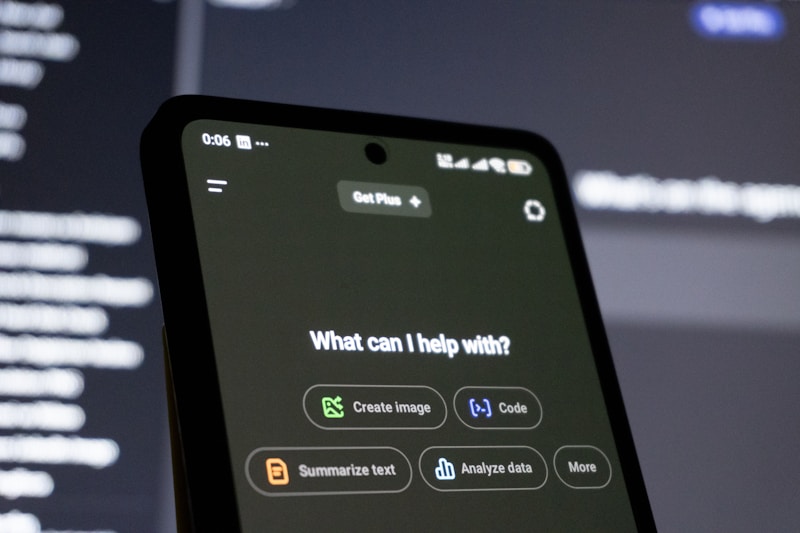
ChatGPT is OpenAI’s conversational AI. You type a question or request, and it responds with text—explanations, drafts, code, or ideas. This guide covers everything a beginner needs to use it well.
What Is ChatGPT?
ChatGPT is a large language model (LLM) that understands and generates text. You can use it for:
- Research — Summarize articles, explain concepts, compare options
- Writing — Blog outlines, drafts, emails, social posts
- Coding — Code snippets, debugging help, explanations
- Ideas — Brainstorm topics, titles, or strategies
It’s available at chat.openai.com. Free and paid (Plus) tiers are available.
Getting Started: Create Your Account
- Sign up — Go to chat.openai.com and create an account (email or Google/Apple).
- Verify — Confirm your email if required.
- Start chatting — Type in the box at the bottom and press Enter.
No installation needed. It runs in your browser or via the mobile app.
Writing Better Prompts
The quality of your output depends on how you ask. Here are simple rules:
Be specific
- Weak: “Write about blogging”
- Strong: “Write a 500-word blog post outline about starting a niche blog in 2026, aimed at complete beginners”
Add context
- Weak: “Make it shorter”
- Strong: “Condense this into 3 bullet points for a LinkedIn post”
Give structure
- Weak: “Give me ideas”
- Strong: “List 10 blog post ideas about passive income. For each, give a title and one-sentence summary.”
Specify format
- “Write in a friendly, conversational tone”
- “Use bullet points and short paragraphs”
- “Keep it under 300 words”
For deeper techniques, see our prompt engineering guide.
Key Features to Know
Conversations and History
- Each chat is a thread. You can refer back to earlier messages.
- Use New chat (top left) to start fresh when switching topics.
- Past chats are saved. Find them in the sidebar.
File Uploads (Plus)
- Click the paperclip icon to attach files (PDF, TXT, DOCX, etc.).
- Ask ChatGPT to summarize, extract key points, or answer questions about the file.
- Useful for research, contracts, or long documents.
GPTs (Custom Assistants)
- GPTs are custom versions of ChatGPT for specific tasks.
- Browse them in the GPT store or create your own.
- Examples: Writing coach, code reviewer, SEO analyzer.
Voice and Image (Plus)
- Voice — Speak your prompt and hear the response.
- Image — Upload an image and ask questions about it (e.g., “What’s in this screenshot?”).
Using ChatGPT for Passive Income
ChatGPT is great for:
- Keyword research — “Give me 20 low-competition keywords for a blog about [niche]”
- Outlines — “Outline a 1500-word guide on [topic] for beginners”
- Editing — Paste your draft and ask: “Improve clarity and fix grammar”
- Ideas — “10 blog post ideas that could rank on Google for [keyword]”
We use it for research and outlines, then hand the structure to Groq or Gemini for full drafts. That split keeps quality high and saves time.
Common Mistakes to Avoid
- Trusting everything — ChatGPT can be wrong. Fact-check important claims.
- Vague prompts — “Help me” or “Make it good” rarely get useful results.
- One-shot requests — Iterate. Refine your prompt if the first answer isn’t right.
- Ignoring context — If the response is off, add more detail about your audience, goal, or format.
ChatGPT vs. Claude vs. Cursor
- ChatGPT — Best for general research, writing, and brainstorming. Easy to use.
- Claude — Strong for long documents, nuanced writing, and analysis. See our Claude guide.
- Cursor — AI inside your code editor. Use it for coding and file edits. See our Cursor guide.
You can use all three for different tasks. For example: ChatGPT for research, Claude for editing, Cursor for automation scripts.
Recommended resources to grow your income
- Best AI tools for passive income — Free and paid options
- Crypto trends 2026 — AI + passive income
- World AI news digest — Viral stories daily
- Shocking AI news 2026 — What went viral
- ChatGPT for beginners — Master prompts and features
- Claude for beginners — Writing and analysis
- Cursor for beginners — AI code editor
- Get AdSense approved faster — Monetize your blog
- Prompt engineering for AI autoblogging — Better content, less effort
We use and recommend these. Some links may be affiliate links—we earn a small commission at no extra cost to you.
Explore more AI tools and guides for passive income and automation.